

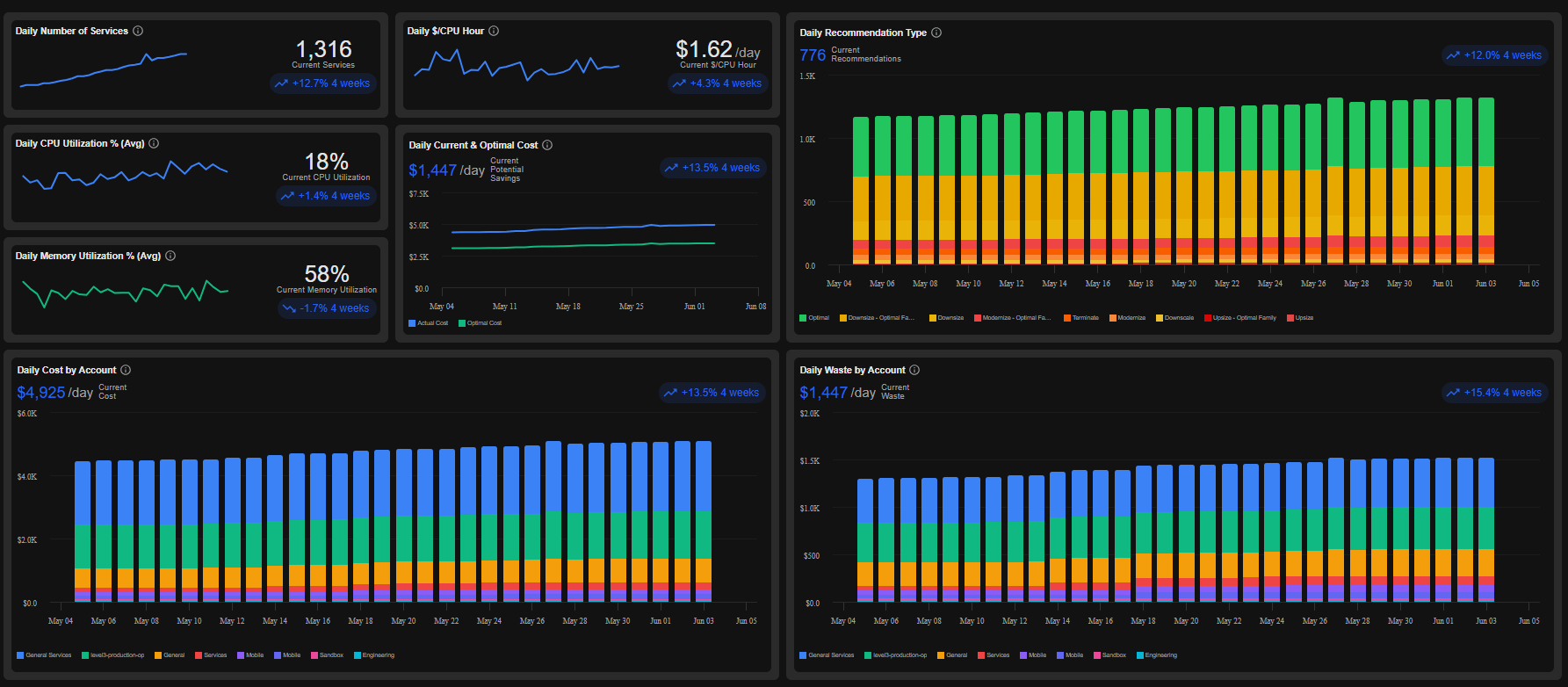
Kubex Collects and Analyzes
| Cloud Provider | Service Type |
|---|---|
| AWS | EC2, RDS, ASG |
| Azure | VM, ScaleSet |
| GCP | Compute Instance |
| OCI | VM |
Why Cloud Optimization Matters
Cloud environments often suffer from:- Overprovisioned compute resources
- Underutilized instances
- Excessive cloud spend
- Performance bottlenecks caused by poor sizing decisions
- Manual optimization processes that don’t scale
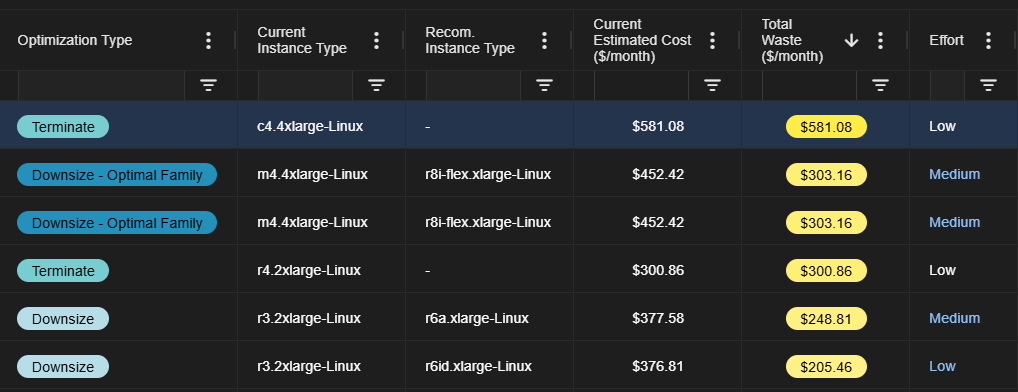
Key Benefits
Lower Cloud Costs
Identify and eliminate unnecessary infrastructure spend through intelligent rightsizing recommendations and automated optimization workflows.Improve Resource Efficiency
Analyze actual workload behavior and allocate resources based on observed demand patterns rather than estimates.Reduce Operational Risk
Optimization recommendations are prioritized based on confidence, impact, and safety to minimize disruption.Accelerate FinOps Outcomes
Enable engineering, operations, and finance teams to collaborate around a shared view of optimization opportunities and realized savings.How It Works
1. Connect Cloud Accounts
Connect your cloud environment securely and begin collecting infrastructure and utilization data. See Setup Cloud Data Collection2. Assign Policies
A default policy is automatically assigned to instances in each account connected to Kubex. You can reassign policies at any time. For more details, refer to the Cloud Policy page.3. Analyze Workload Behavior
Kubex continuously evaluates:- CPU utilization
- Memory consumption
- Resource allocation patterns
- Growth trends
- Performance characteristics
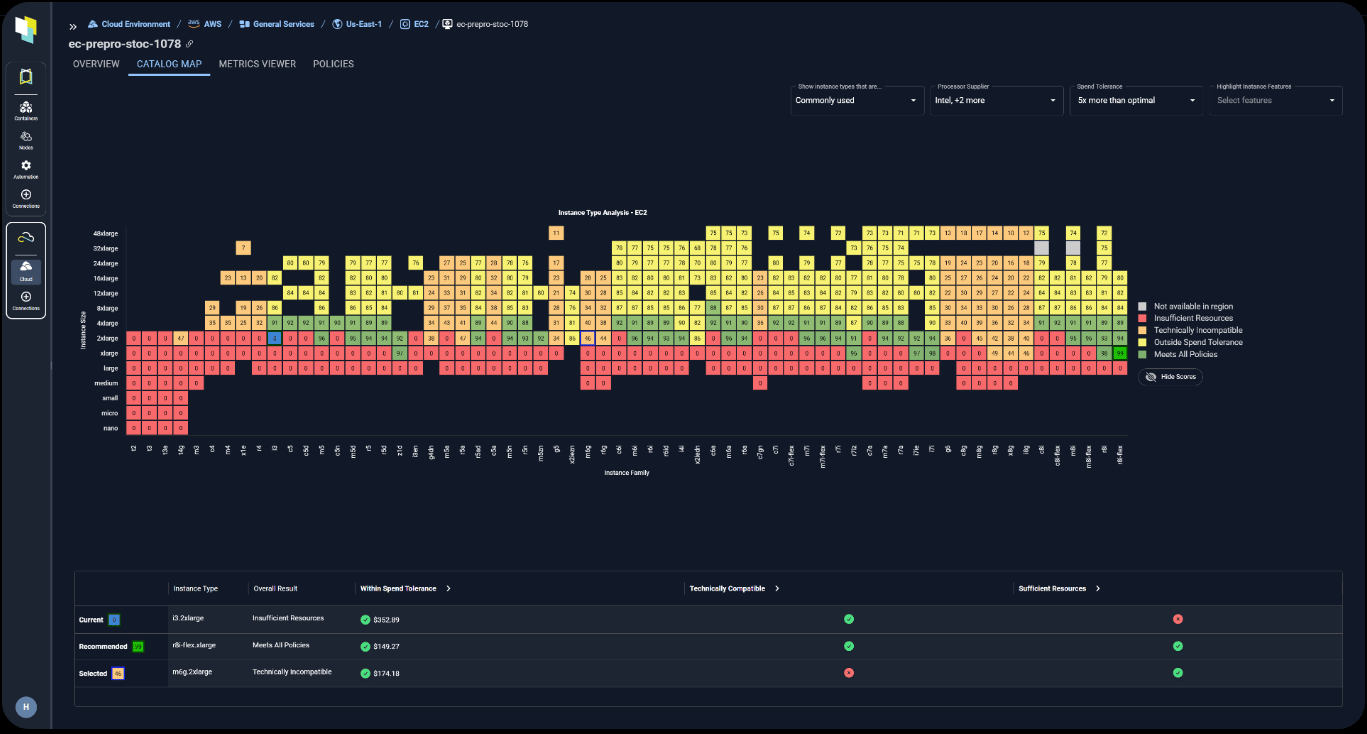
4. Identify Optimization Opportunities
The platform surfaces:- Overprovisioned resources
- Underutilized instances
- Inefficient instance families
- Rightsizing opportunities
- Cost reduction recommendations
- For Scale Groups (ASG, ScaleSet), Kubex additionally provides recommendations for min and max group sizes
FinOps Enablement
Kubex helps organizations mature their FinOps practices by providing:| Capability | Benefit |
|---|---|
| Cost Visibility | Understand where cloud spend occurs |
| Resource Rightsizing | Eliminate overprovisioning |
| Savings Tracking | Measure optimization impact |
| Continuous Optimization | Maintain long-term efficiency |
Organizations use Kubex to improve cloud efficiency, reduce operational complexity, and ensure infrastructure resources align with actual business demand.